Easily create or explore ready-made frame presets.
Easy conversion sizing for print and digital design in seconds.
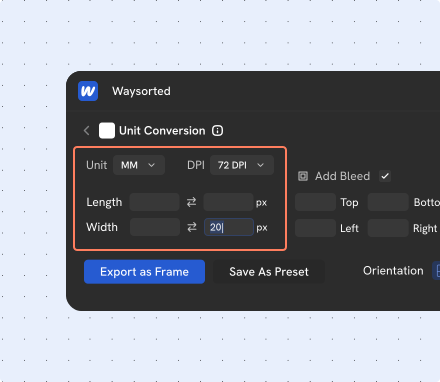
Convert units into pixels
The Unit Converter tool helps you convert different measurement units to pixels.
- Easily convert cm/mm/in/pt units into pixels.
- Get instant size at different DPI values.
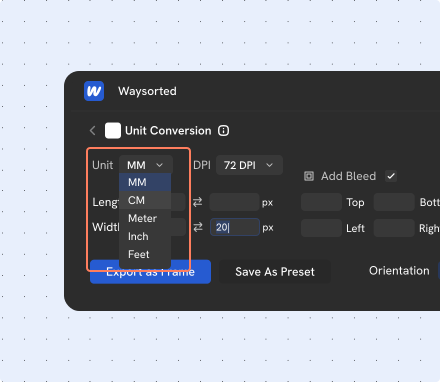
Change Units
Allows you to switch between different measurement unit systems, ensuring your design matches the format best for your work.
- Select your desired unit from the dropdown or toggle your design outputs.
- Customize the display or formatting HE, CM, Meter, Inch, and Feet.
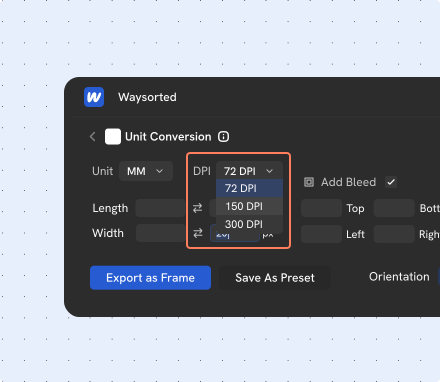
Change DPI
You can alter the resolution of your exported files.
- Adjust your desired DPI from the dropdown menu to match your output resolution.
- Changing the DPI will dynamically affect the pixel dimensions of your final output, giving you precise control over your output.
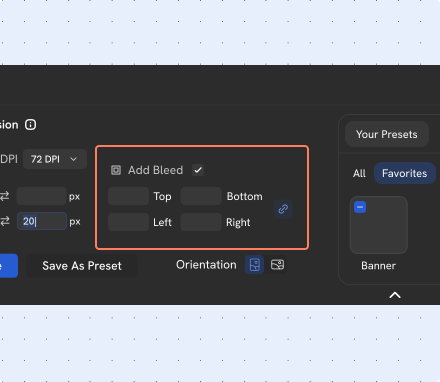
Add Bleed Marks
Add professional bleed marks to your designs.
- Enable bleed with a simple click.
- Customize the margins on each side.
- Use the link icon to apply a uniform bleed simultaneously to all sides.
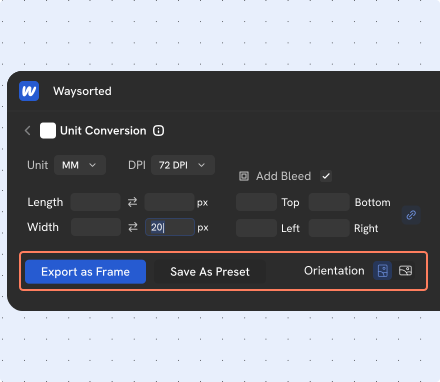
Export as Frame & Save as Preset
Instantly create a new frame in your Figma file with the converted settings, or save your settings as a custom preset for later.
- Select Export as Frame to save your settings as a canvas frame.
- Quickly unlock new frame creation for customizable combinations.
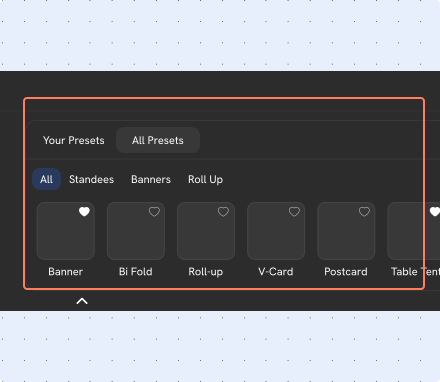
Access to pre built presets
Instant access to a library of pre-made presets for all your print needs.
- A comprehensive library of card sizes, poster templates, and more.
- Easily filter the presets by category to find the perfect starting point for your project.
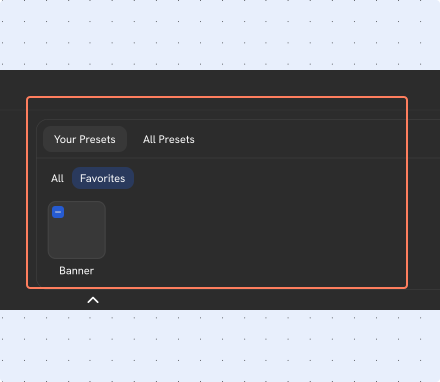
Make your own presets
Save a custom frame size with settings as a new preset.
- Manage all of the presets you have saved using the edit button.
- Click on "Save as Preset" button and give your preset a name.
- Find your presets in the "Your Presets" section.
Rate the way these slides helped you.
Explore More Toolsin One
Quick guides and smart tips to master every feature with ease.

Palettable
Figma PluginInstantly generate Color system palettes by single click.
Learn more about Palettable
Frames to PDF
Figma PluginExport your designs into a share-ready digital document in seconds.
Learn more about Frames to PDF
Unit Converter
Figma PluginEasy conversion sizing for print and digital design in seconds.
Learn more about Unit Converter
File Importer
Figma PluginBring external files into Figma without losing any content with instant Preview.
Learn more about File Importer
Icon Library
Figma PluginBrowse, filter, customize, and export icons faster without leaving Figma.
Learn more about Icon Library
HTML to Design
Figma PluginConvert websites, code, or local HTML files into editable design layers in Figma.
Learn more about HTML to Design
Comment Summariser 
Figma PluginDistill design feedback into clear, actionable summaries.
Learn more about Comment SummariserJoin Our Community
Be part of a growing network of designers who believe in faster, smarter, and frustration-free workflows.